What happened
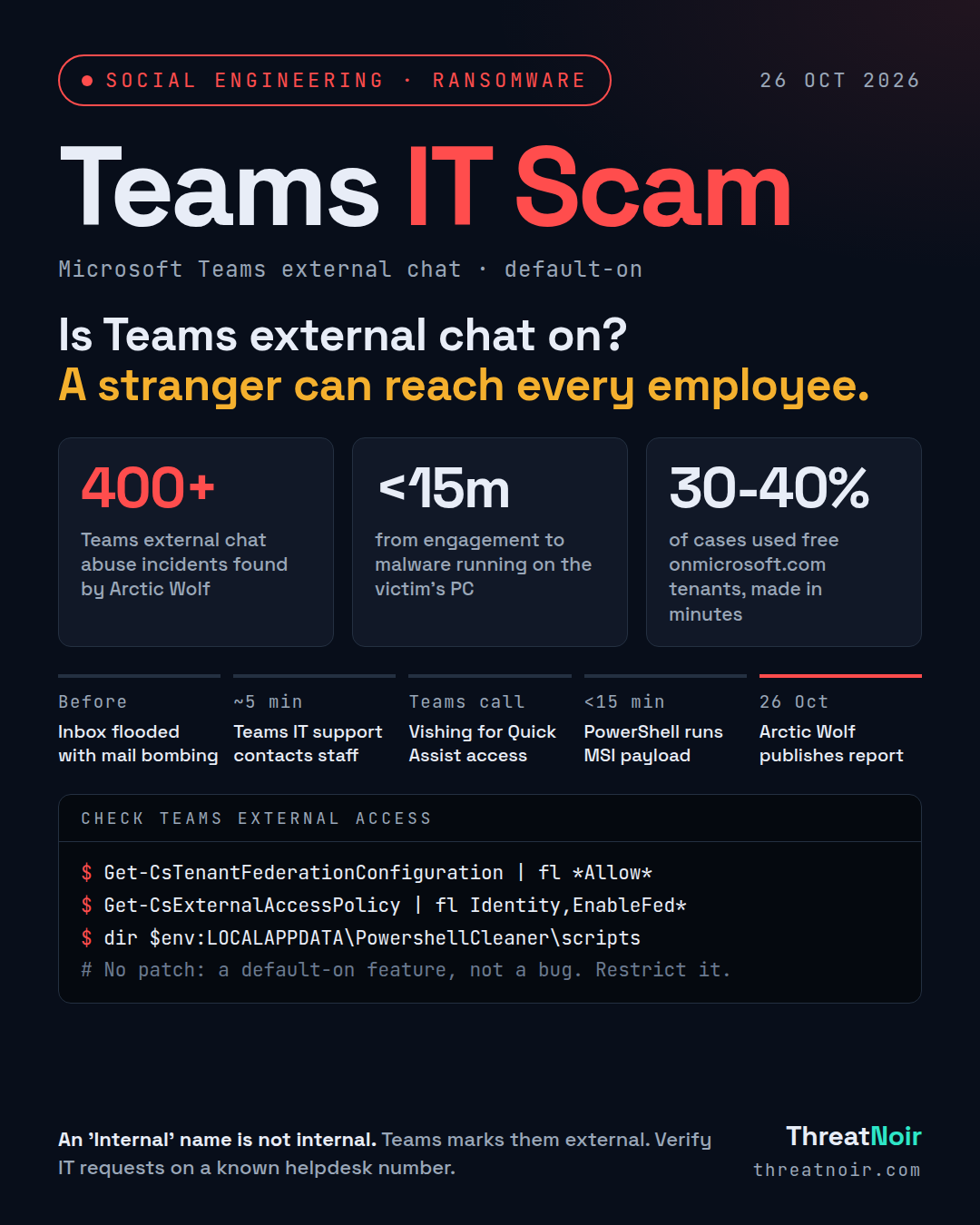
Arctic Wolf Labs has documented more than 400 incidents in which attackers abuse Microsoft Teams external chat to pose as internal IT support and talk employees into granting remote access to their Windows PCs. This is not a Teams vulnerability. It abuses external access (federation), a legitimate feature that ships turned on by default, letting any Teams user in another Microsoft 365 tenant find, chat with and call your staff when both tenants allow it.
The pattern is consistent: the same throwaway tenants, the same "IT Support (Internal)" display names, the same remote tools and, increasingly, the same payload domains. The activity aligns with the actor tracked as STAC4749 and has led to Chaos ransomware, according to Sophos. The technique has previously appeared in Black Basta, Cactus and 3AM operations.
Timeline
- Minutes before contact: the victim's inbox is flooded with hundreds of newsletter and subscription confirmations (mail bombing) to create urgency and bury alerts.
- Within about five minutes: the attacker contacts several employees, likely via automation.
- The fake technician moves to a Teams voice call and asks the victim to install or allow a remote tool.
- In under 15 minutes from engagement, malicious code starts running.
- About 30 seconds after an MSI installs, a script runs from AppData and decrypts the next stage.
- After a five second delay, a Python implant queries Active Directory and exfiltrates account data.
- 26 Oct 2026: Arctic Wolf publishes its report.
Am I affected?
You are exposed if Teams external access (federation) is open to any outside tenant rather than limited to named partner domains, and if staff can install or run remote tools such as Quick Assist, AnyDesk, ScreenConnect, TeamViewer, Atera, Zoho Assist, NetSupport or LogMeIn.
Between 30 and 40 percent of cases used free *.onmicrosoft.com tenants such as helpdeskteam365, itcoreportal and itadmin922. Of paid domains seen in recent months, about half used the .top TLD, around 40 percent used .com, and just over five percent used multi-level domains like .com.pl, .com.vn and .com.br. Display names include "IT Support", "IT Service Desk (Liam)" and names with "(Internal)" appended. Attackers sometimes add your company name or domain to their display name.
What to do now
- Restrict Teams external access to specific approved partner domains. Do not allow chats from any outside tenant.
- Block chats from unmanaged Microsoft 365 accounts and trial-only tenants.
- Restrict Quick Assist and other RMM tools to authorised IT staff only; remove or block the rest.
- Tell staff now: a Teams message, even one labelled "Internal", is not proof of identity. Verify any unsolicited IT request through a known helpdesk number or portal.
- Treat a burst of subscription spam as a warning sign and report it before engaging with any "IT" follow-up.
How to hunt
- Treat the Teams ChatCreated event from an external tenant as an early detection point, then correlate it with mail flooding, remote tool launches, PowerShell activity and identity alerts.
- Endpoint and identity telemetry are essential: attackers avoid pasting URLs in Teams to dodge Safe Links and ZAP, and download payloads themselves during the session.
- Look for PowerShell that fetches an MSI from Azure Blob Storage, and for artefacts in AppData\Local\PowershellCleaner\scripts, plus files archive6.zip, cleaner.ps1, ss.py and pythonw.exe.
- Watch for MSI transactions issuing LDAP queries for all computer and user objects.
- Block the reported onmicrosoft.com tenants and .top payload and C2 domains listed in the IoCs.
What does not help
- There is no patch to apply. This is a default-on feature being abused, not a software flaw.
- Teams' external-user warning does not stop the attack; a friendly or "Internal" display name is designed to make staff ignore it.
- Message scanning alone is not enough, because the attackers never paste links into the chat.
Sources
- Attackers Use Microsoft Teams IT Support Scams to Deploy Malware and Ransomware, The Hacker News, 26 Oct
- Hackers Impersonate IT Support on Microsoft Teams to Gain Remote Access to Employees’ PCs, Cyber Security News, 27 Oct
- Hackers Abuse Microsoft Teams External Chats to Access Corporate PCs, Hackread, 27 Oct
- Hackers bury inboxes in spam then show up on Microsoft Teams posing as IT support, Help Net Security, 27 Oct